
The Definitive Guide To: Earnings

Each month, we get lots of emails in our Designer Inbox about payments. So, we wanted to give you a resource that has all the information you need in one place!
Please note: This is a designer-specific blog entry. If you have a merch partner account, some of this may not apply to you.
The Basics
Earnings are paid out on the 15th of every month by 11:59 PM (EST) for all sales made during the previous calendar month. For example, money made during January is paid on February 15th. If you have not received your payment by the 16th of the month, notify us at [email protected] (please do not email us regarding missing payment before the 16th). Live in a different time zone? Stay up-to-date with what day/time it is in New York (EST) here: https://time.is/New_York
We pay all designers through monthly PayPal or Payoneer transfers. We do not currently have a way of paying via any other options.
Have questions about taxation? Please check out our tax policy here.
Please check out our earnings chart, which gives you information on the amount of money (USD) you make on each sale. Note the 2 categories, "Regular" and "Sale." "Regular" refers to the earnings you make on items at regular, non-sale, prices. "Sales" is the amount you make during sale-periods, or when any item is purchased with a customer coupon during non-sale periods.
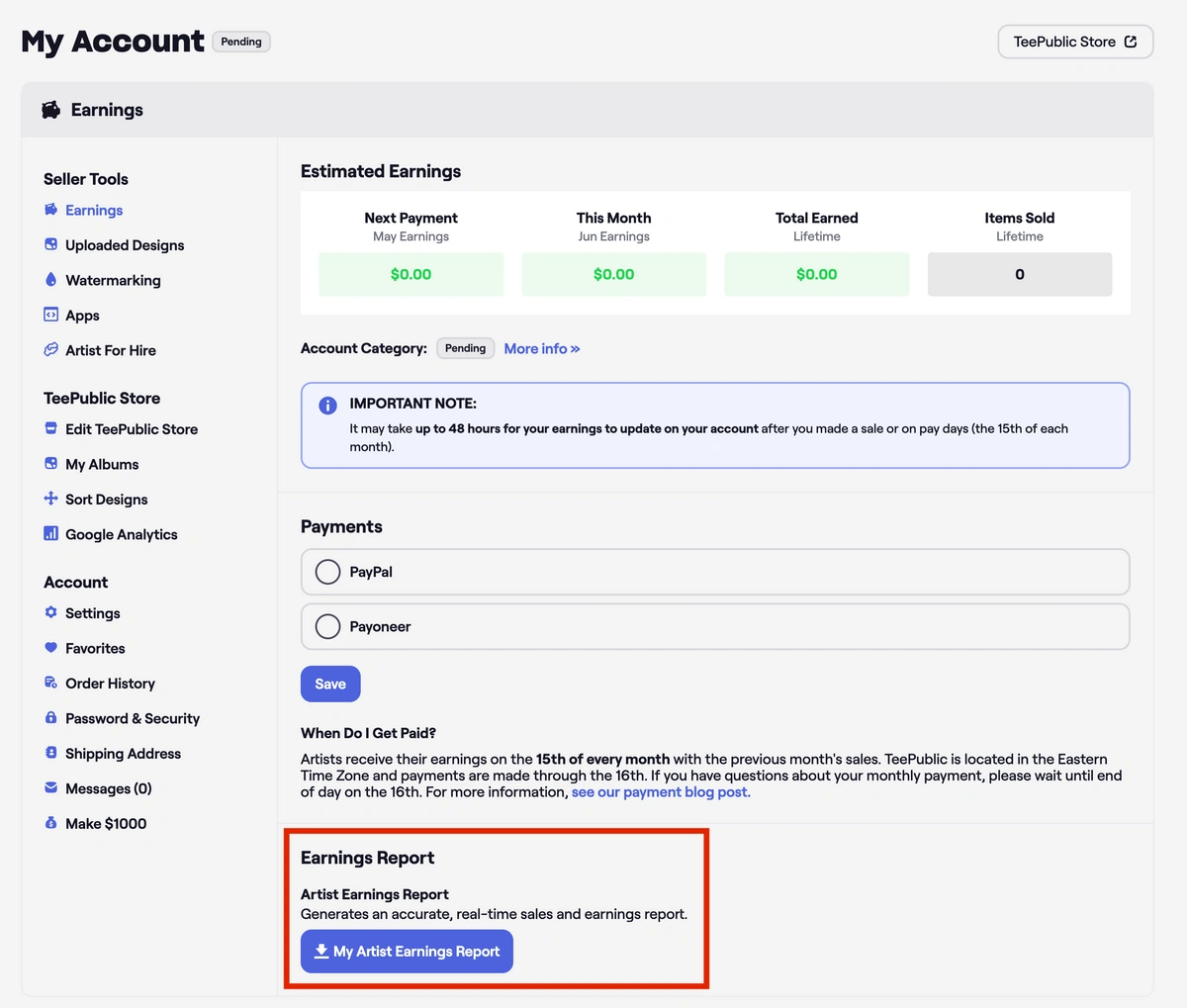
Any questions about your earnings? You can always download your earnings report from your Account Settings to see the most accurate information about your sales activity. The report will be emailed to you in .csv format.
Setting Up Your Payment ID in Your TeePublic Account
To enter or change your payment information, go to your Account Settings, and click “Earnings" in the left-hand menu. On that page, you will see your payment options and can switch your payment email address and/or method.
*To ensure the setup goes smoothly, make sure to use a Desktop computer or laptop with the latest version of Google Chrome or Firefox.
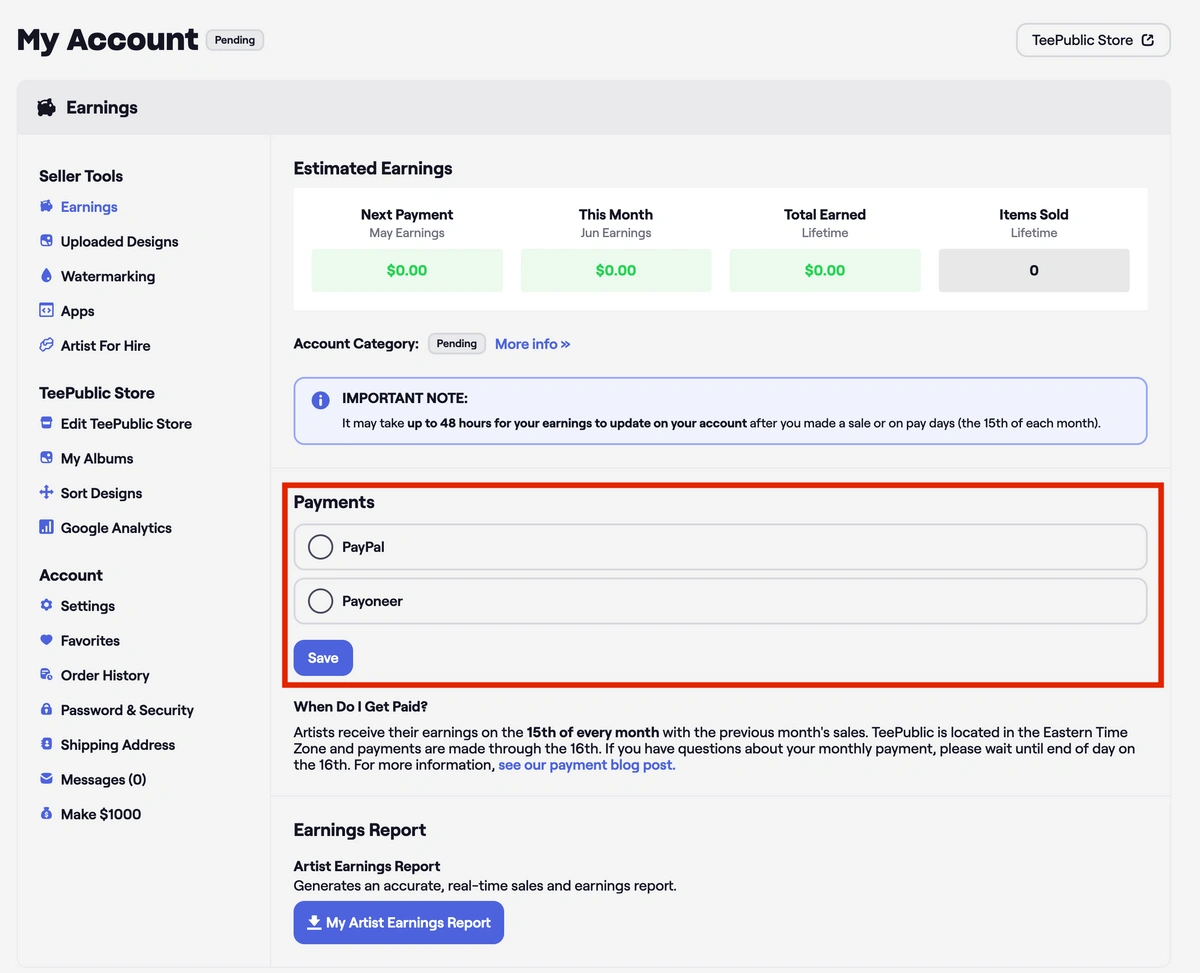
Keep an eye on your email: We will immediately send you an email with further instructions after this edit. This email will only be active for 30 minutes, so try to open it as soon as you can.
We understand that sometimes it is necessary to switch payment IDs and methods. Please try not to switch these too often as they tend to result in payment delays. ALSO: Please note that you need to have your payment ID set up before the 10th of the month to receive your earnings on time.
All payment IDs should be in the form of an email address!
PayPal
There is no minimum sales requirement that you need to earn to be paid via PayPal (like with Payoneer). This makes PayPal a very popular option.
The most important aspect to keep in mind is that you should be able to receive payments via the Mass Pay/PayPal Payouts feature. This is the feature we use to send artist payments every month. If your PayPal account is not eligible for this feature, we will not be able to send you your payment.
The PayPal Payouts feature is supported in the countries listed at the link below:
Some PayPal accounts require users to manually claim their earnings. If yours is set up this way, then please make sure you remember to claim your earnings on the 15th! Otherwise, the transaction will be reversed. We want to make sure you get your money on time!
Payoneer
Payoneer requires that you have a minimum of $20 in earnings owed before sending payment. So, if you made $8 in January, $2 in February, and $10 in March, you will be paid in April for those 3 amounts during the March sales payment period. Then this counter resets, and you are back to $0 (out of the $20 minimum).
Did not receive your earnings?
If you do not receive your expected earnings payment on payday, it is likely because there is some issue you need to resolve with the platform of your selected payment method. Our payment system will re-attempt the failed payment during the next payment period until you resolve the issue and the payment is successful. Reach out to us at [email protected] if you are not sure why your payment failed, and we will inform you of what needs to be resolved to make sure it goes through during the next payment period!
Referral Earnings
We pay referral earnings only via PayPal. We hope to integrate this for Payoneer in the future, but for now, it's only available for those with PayPal.
NOTE: We do not pay referral earnings on sticker sales. If you believe you are owed more, this is probably why you received the amount you did.
Thanks for reading, and happy selling!


